From your size to your door
What ordering from 48 Hours Banners means, step by step, with the screens you will see. Screens from October 2026.
Five promises
-
Honest
The delivery date you see before you pay is the date we work to. If we cannot make it, we say so before you order, not after.
-
Transparent
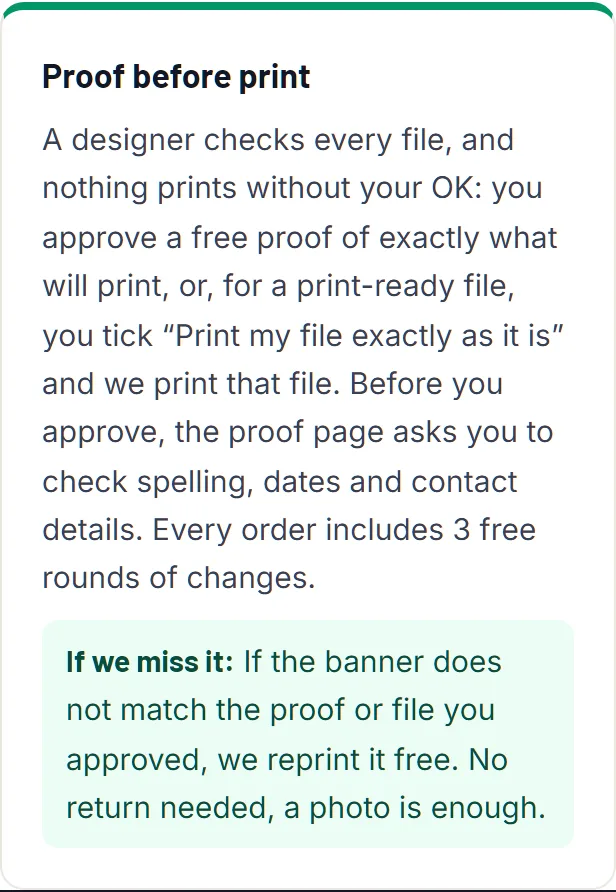
You see a proof of your banner before anything prints, and you can follow every step from your order email.
-
Fair pricing
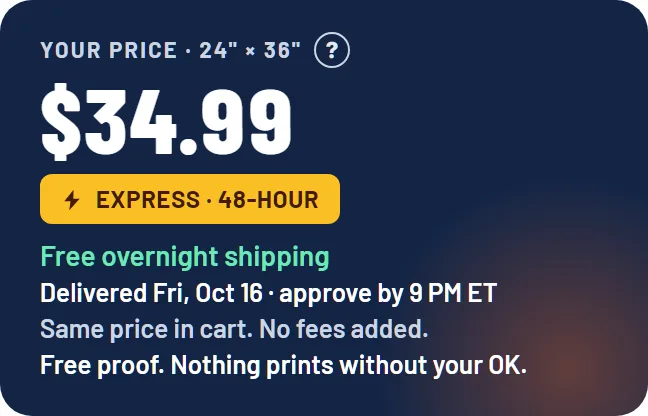
The price is built from the size: a two by three foot banner is $34.99, shipping included. No rush fee on the standard lane, no surprise at checkout.
-
Real support
A person answers. Call (516) 202-3466 (Mon-Fri, 9 AM-9 PM ET) or reply to any email from us and you reach the people who handle your order.
-
Quality and precision
We check every file at print size before it goes to press, and if the banner we send does not match the proof you approved, we reprint it free.
Place your order: size, price, file
You type a size, see the price and the arrival date, add your file or ask us to design it, and pay. Nothing is printed yet.
Type any size in feet or inches. The price updates as you type, and the arrival date beside it is the date we are promising if you approve your proof by 9 PM ET. A two by three foot banner is $34.99, shipping included.
Then choose how we get your artwork: upload a file now, send it later from the link in your order email, or choose free design and tell us the text, colours and any logo. Our file check looks at an uploaded file straight away and tells you if it is too small to print well at the size you chose.
At checkout you see what happens after you pay, right above the Pay button, and for larger orders a phone number and hours so you can talk to a person first. No account is needed.
- You do
- Pick a size, add a file or a brief, pay at checkout.
- We do
- Check the file at the size you ordered and open your order for a designer.
Do I pay before I see a proof?
Yes, you pay at checkout, but nothing is printed until you approve the proof. Until you approve, nothing has been made, so if something is wrong you reply to your order email and we sort it out before any printing.
What if my file is not good enough?
The file check tells you on the product page, before you pay. Small problems we fix as part of the proof; if a file cannot print well at your size we tell you before anything prints and you can send another one from the link in your order email.
Do I need an account?
No. Every step runs from the links in your order emails. An account only adds a place to see your orders and reorder in one tap.
Words used here: Proof, Design for me, File check, Send later, Arrival date. Read more: See your banner to scale, What size banner do I need?.
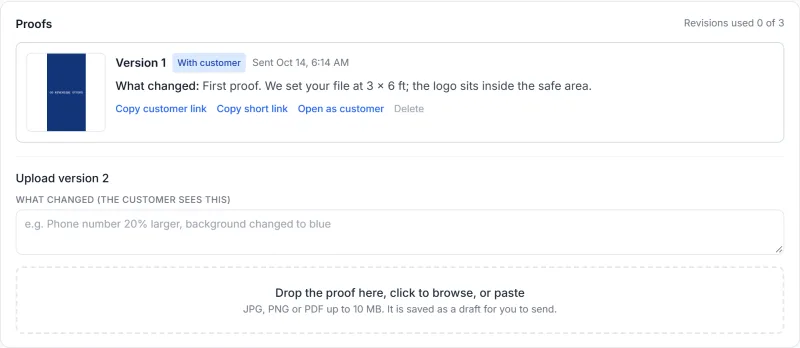
We prepare your banner proof and email it
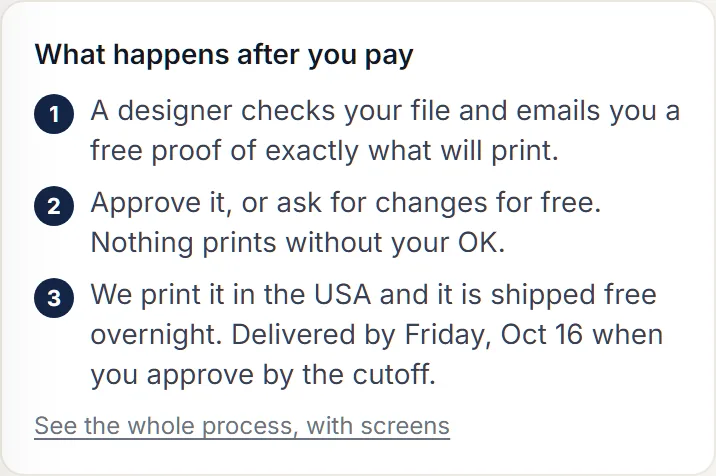
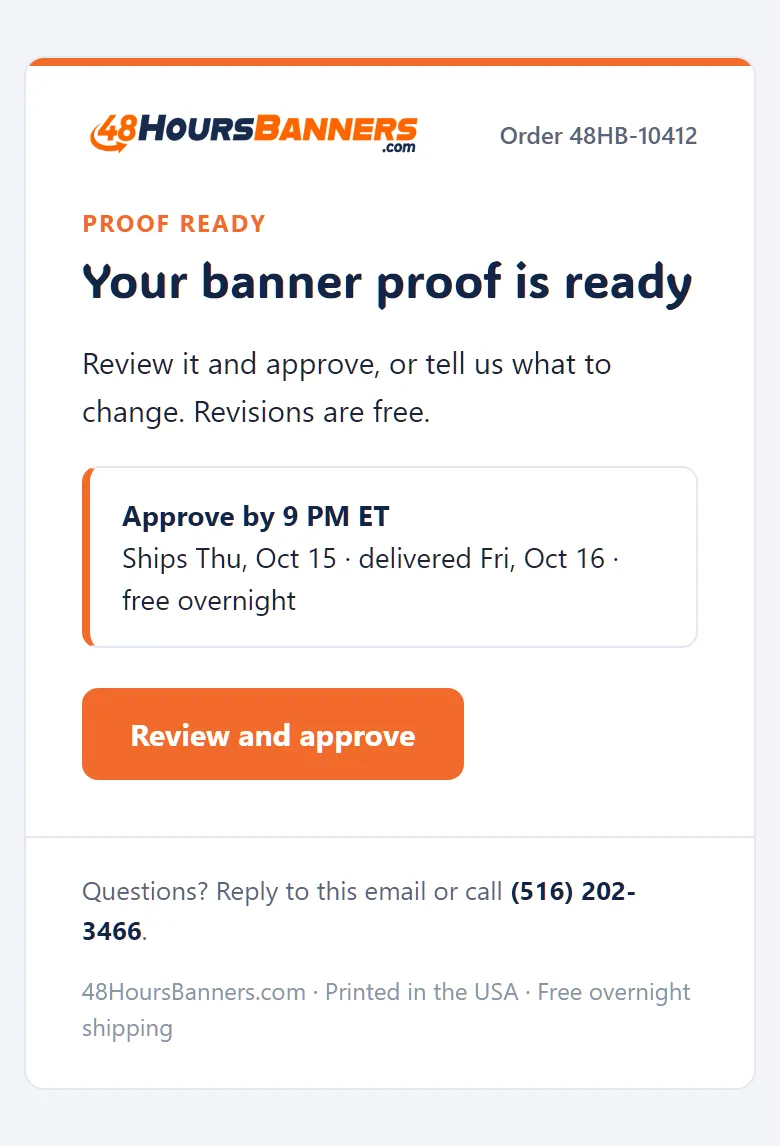
A designer sets your artwork at the exact size you ordered and emails you a picture of what will print, with one link to approve or change it.
A proof is a picture of your banner at its real proportions, with the hems, grommets and safe area in mind, so what you see is what the press prints. A person prepares it, not a script, and if your file needed a fix the proof shows the fixed version.
You get one email with one link, even for an order with several banners. The email says what we changed, if anything, and the time to approve by to keep the date you were promised.
- You do
- Wait for one email. Most proofs go out the same business day once we have your artwork.
- We do
- Set the file at print size, fix what needs fixing, write a note on what we did, send it.
How long until I get my proof?
Usually the same business day once we have your artwork. An order placed in the evening gets its proof the next morning. If you chose to send your file later, the proof follows the file.
Is the proof exactly what prints?
Yes. The proof is made from the file that goes to press, at the same proportions. The only difference is scale: the proof is on your screen, the banner is at its full size.
Words used here: Proof, Safe area, Hem, Proof page. Read more: How to design a banner that gets noticed.
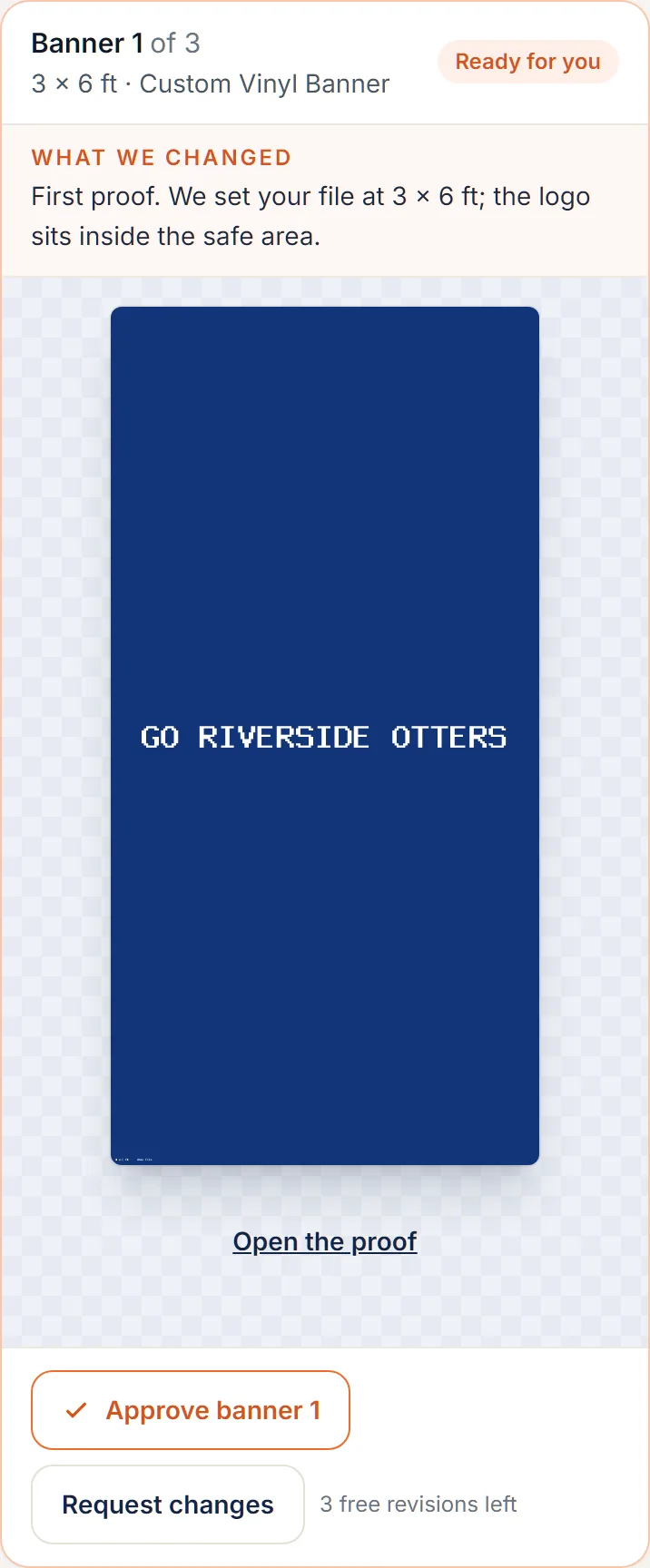
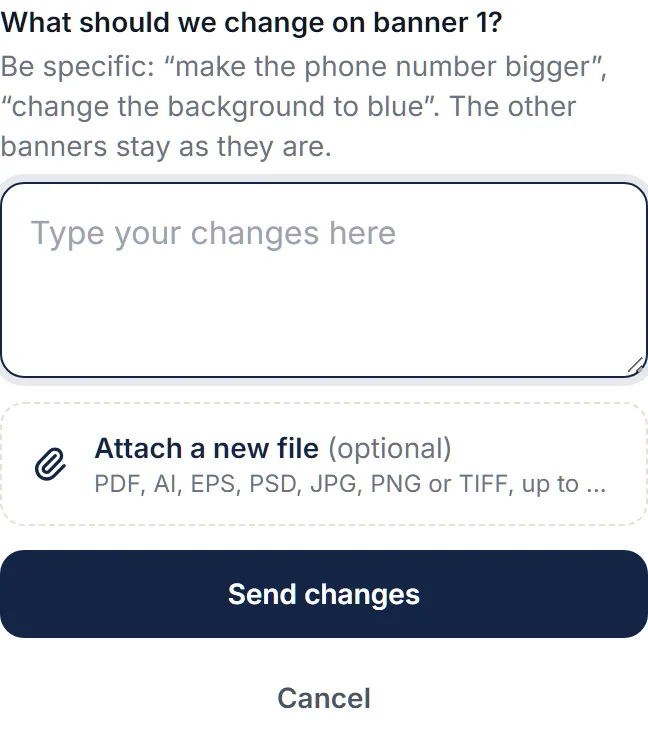
Approve the proof, or request changes
On the proof page you approve with one tap, or write what to change and get a new version. Nothing prints until you approve.
The proof page opens from the email link on any phone, no login. You see the proof, the date it arrives if you approve now, and two buttons: Approve, and Request changes. Request changes takes your words and, if you like, a new file. You have 3 free revision rounds on every order.
Approve by 9 PM ET and your banner prints the next business day. Approve later and the date moves by a business day; the page shows the new date before you confirm, so there is never a surprise.
An order with several banners is approved banner by banner, or all at once with Approve all. It prints and ships together, in one box, once every banner is approved, and the page says so.
- You do
- Look closely at spelling, colours and the size, then Approve or Request changes.
- We do
- Answer a change request with a new proof, or in words if we need to ask something first.
What if I miss the cutoff?
Your banner still prints; the arrival date moves by a business day. The proof page shows the new date before you confirm, and the proof email reminds you of the cutoff.
Can I approve from my phone?
Yes. The proof page is built for a phone screen: the picture, the date and the two buttons. No app, no login.
Can I change the size after I approve?
Before anything prints, reply to your order email and we change it; the price follows the size. Once a person has sent it to press it is printed at the size you approved.
Words used here: Revision round, Cutoff, Approve all, Approved proof.
Production: a person sends it to print
Your approval does not start a machine. It puts your banner in front of a person, who checks it once more and sends it to press by hand.
After you approve, your order is in our print queue. One of us opens the approved file at print size, checks the size, the finishing and the file once more, and presses the button that sends it to press. No automatic job does this, by design: a person is the last step before ink.
Banners print on 13oz Vinyl, outdoor grade, with hemmed edges and metal grommets, or pole pockets along the edges you chose. The proof you approved shows which.
- You do
- Nothing. You will hear from us next when it ships.
- We do
- Check the approved file at print size, confirm the finishing, send it to press by hand.
Can I cancel after I approve?
Once you approve, your banner joins the print queue, and custom print cannot be resold, so call (516) 202-3466 right away and we will try. Once a person has sent it to press it is printed. Before approval, nothing has been made and a cancel is one email.
Who checks the file?
A person on our team, at print size, after your approval and before pressing send. The automatic file check at upload is a first look; this is the last one.
Words used here: Print queue, Grommets, Pole pocket, Vinyl. Read more: Grommets, hems and finishing explained, Vinyl vs mesh banners.

Delivery: free overnight shipping and tracking
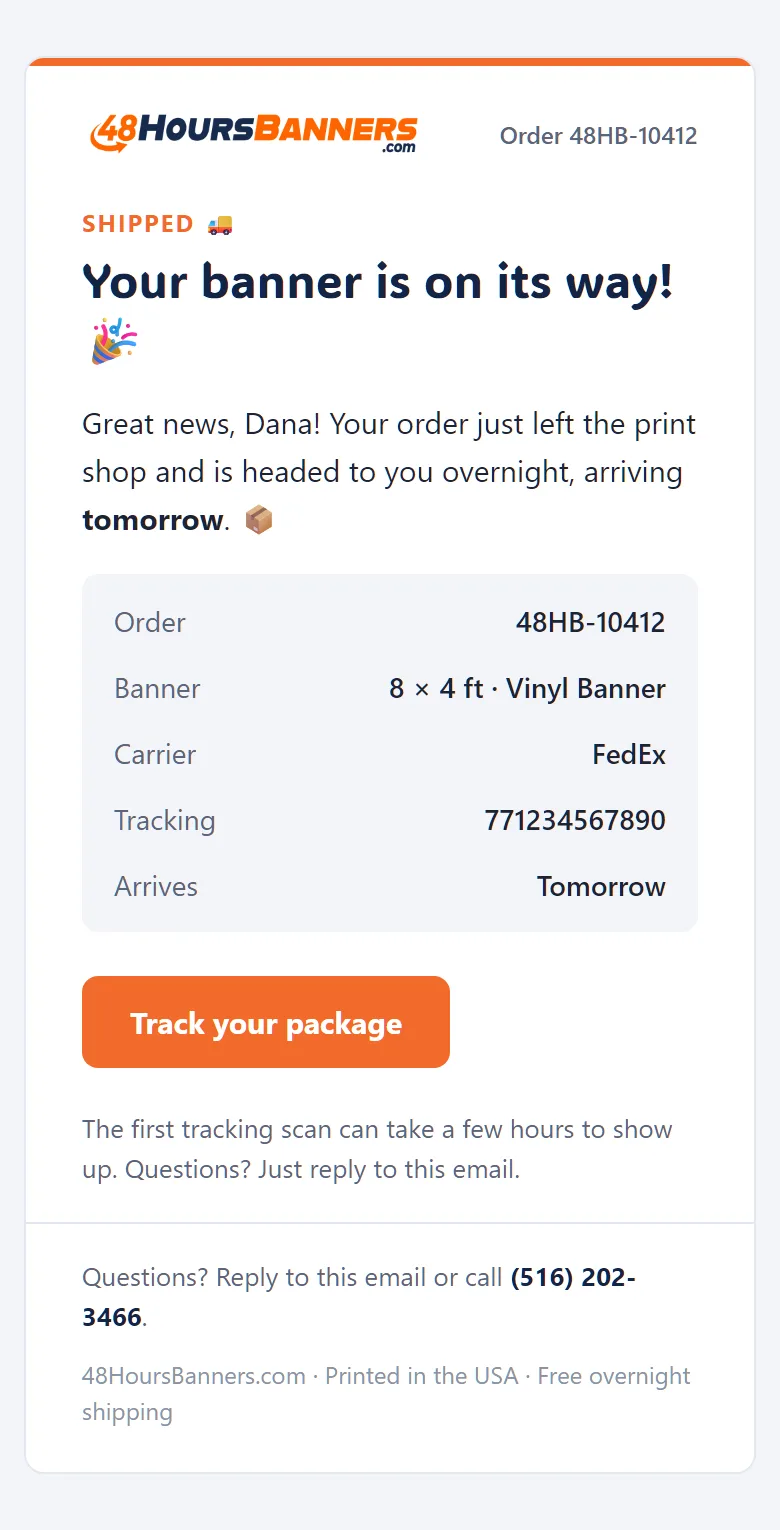
Your banner ships overnight, free, and the tracking number is emailed to you the moment it exists.
The moment a tracking number exists you get an email with it, and the track page on this site shows where the box is. Shipping is free on every order and overnight across the contiguous United States; Alaska and Hawaii take a few days longer, and the date you saw before paying is the date we work to.
Need it faster? Same-Day printing is open on banners until 2 PM ET on business days: printed and shipped the same day, at your door the next business day. The product page shows the exact extra before you choose it.
- You do
- Watch for the shipped email; the tracking link is in it.
- We do
- Email the tracking number the moment the box is on its way, and follow it until it lands.
Do you ship outside the United States?
No. We print and ship within the United States only. Shipping is free in every state; the contiguous states get it overnight, Alaska and Hawaii a few days later, and the product page shows your date before you pay.
The tracking has not moved. What now?
Reply to the shipped email. We check with the carrier and, if a box is lost, we reprint and ship again.
Words used here: Tracking number, Same-Day, Express lane, Standard Delivery. Read more: Same-Day banner printing, Where we ship.
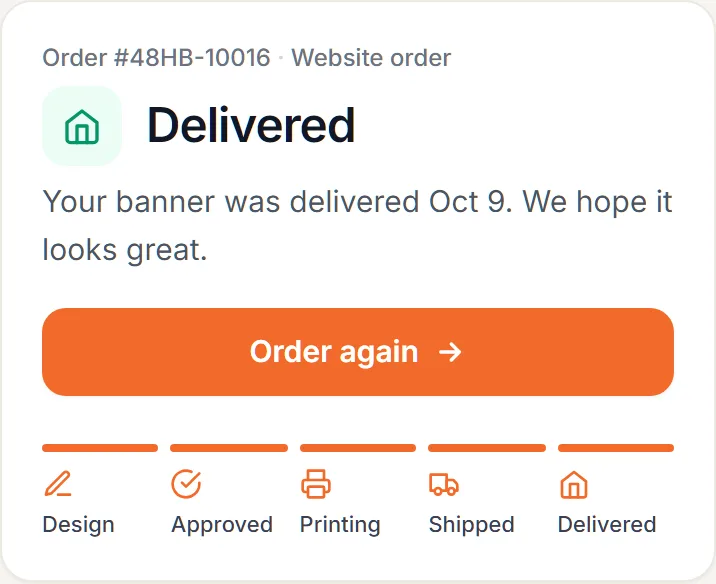
Reorder a banner you already approved
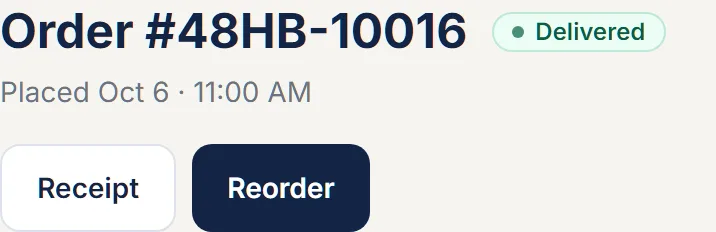
Your approved design is kept on your order, so ordering it again is one tap: the same file at the same size, or new artwork at that size.
From your account, or from the link in your order email, choose Reorder: the same design at the same size, or the same size with new artwork. We set the same file up again and send you a quick proof of it, so you confirm nothing has changed before it prints; new artwork gets a full proof.
- You do
- Open the old order, tap Reorder, pay, confirm the quick proof.
- We do
- Set the same file up on the same material and send the proof to confirm.
Will the reprint look the same as the first one?
Yes. It is the same approved file on the same material, so colours and layout match the banner you already have, and the quick proof lets you check before it prints.
Do I pay the same price?
The price is set by the size, the same way as the first time. Member pricing applies if you have an account with us.
Words used here: Reorder, Approved proof. Read more: Your account.
If something is wrong with your banner
Tell us within 48 hours of delivery with a photo and we reprint or refund. Nothing has to be shipped back.
Reply to your order email or call (516) 202-3466 with your order number and a photo of the problem. We answer, then reprint or refund; a reprint ships the same way the original did.
What is not covered: a banner that matches the proof you approved, and mistakes in artwork you supplied. That is what the proof step is for, so look at it closely before you approve.
- You do
- Reply to the order email with a photo, within the report window.
- We do
- Look at the photo, say what we will do, reprint or refund.
Do I have to send the banner back?
No. A photo of the problem is enough, and you keep the banner. A reprint ships to the same address as the original.
What counts as your mistake?
A banner that does not match the proof you approved, a print or material fault, damage in the box, or a delivery later than the date we promised. The guarantee page spells out each promise and its remedy.
Words used here: Guarantee, Report window. Read more: Our guarantee, in writing, Refund policy.